How to scan OCR text files
OCR is available in both Standard and Professional Editions (since VueScan 9.8.35).
Step 1
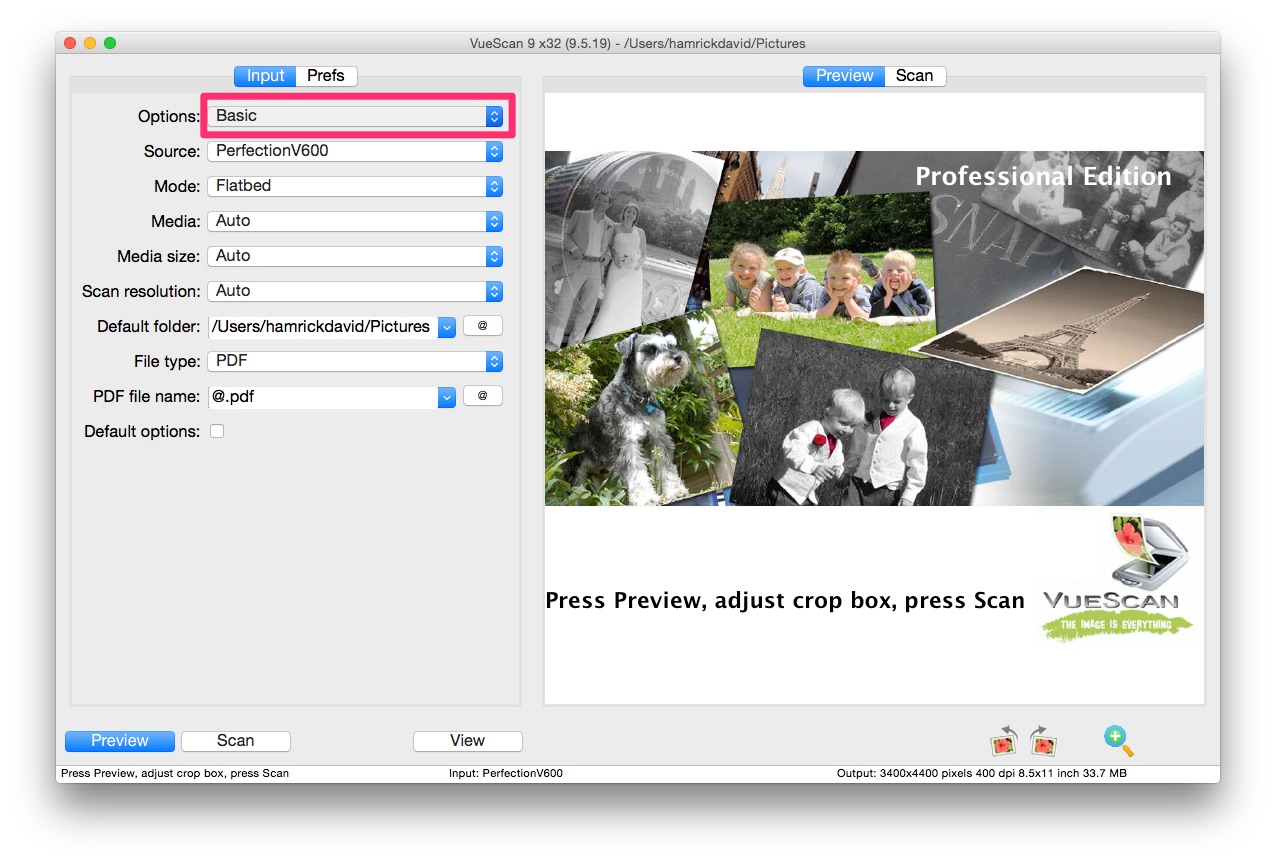
Set Options to Professional to display the OCR controls. This interface setting does not require a Professional Edition license.
Step 2
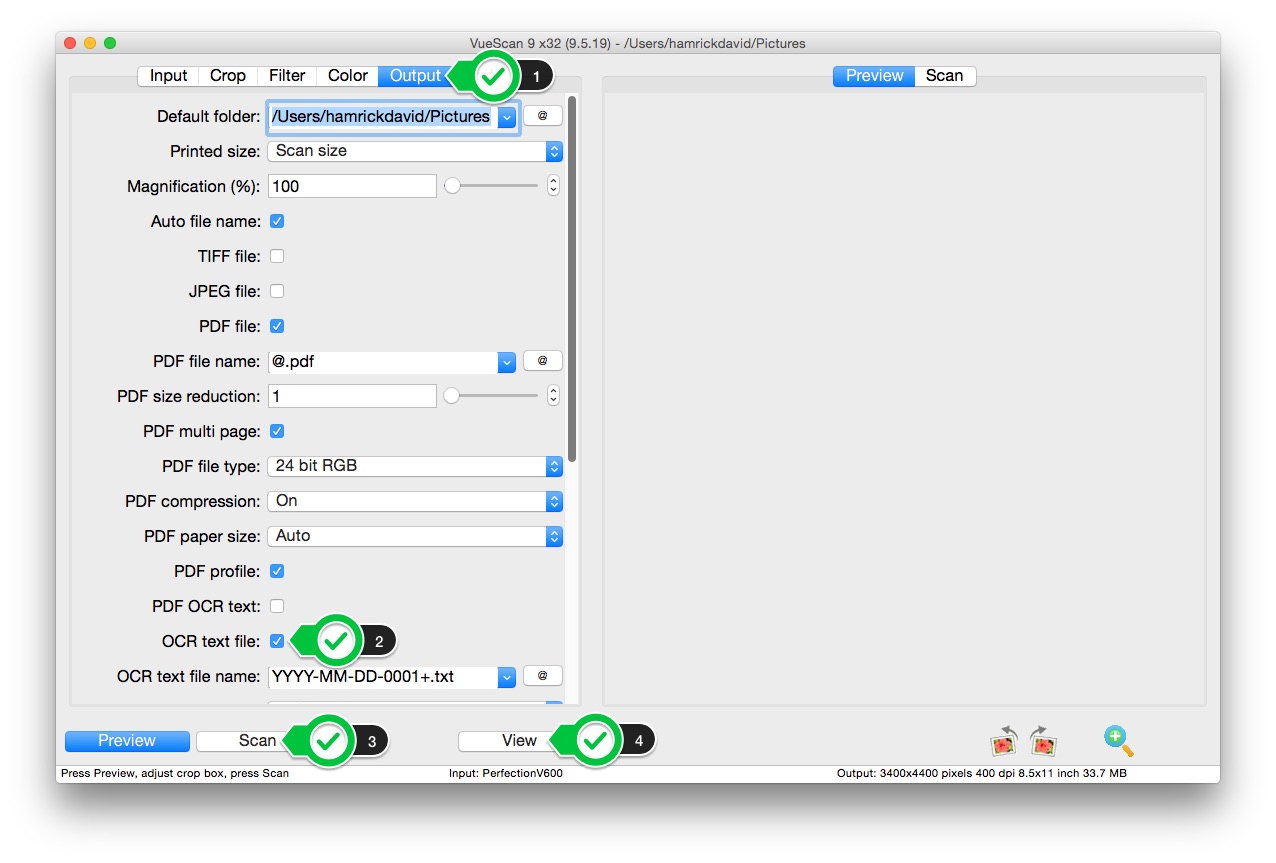
Open the Output tab. Select OCR Text File. Press Scan. Press View.